


Citation Styles
Many academic journals, publishers or university departments require a specific citation style. If that is the case, check their guidelines. However, if nothing is specified you still have to choose one and be consistent with it.
Which style should be chosen? Usually your choice will depend on your field/discipline or even country of publication. For instance, APA is one of the most common styles for social sciences, MLA in humanities, AMA in medicine, OSCOLA for law in the UK mainly etc.
Luckily enough if you use the right tools, changing from one style to another comes at no additional effort.
Citing in LaTex
Store your references in a ".bib" file
To cite in LaTeX make sure you have a .bib file in the same folder as your.tex file.
 Tip
TipBe efficient, export your references to a .bib file straight from a reference management tool. This way, you avoid manually typing in the references or downloading them one by one from the journal.
- Not familiar with reference management tools? Check our building block
Cite in text
The basic command to add citation in text is \cite{label}. However, you may not like how the citation is printed out and might want to change it. For this, you need to add additional packagess to your ".tex" document which will give more options on how citations in text appear. Here we show 2 commonly used options, which allow for further flexibility when citing:
A) Natbib
Natbib is a widely used, and very reliable package as it relies on the bibtex environment. To employ it, type in \usepackage{natbib} in the preamble of your document. The table below describes some examples of additional citation commands that come with the Natbib package:
| Command | Description | Example |
|---|---|---|
| \citet{} | Textual citation | Jon Doe (2021) |
| \citep{} | Parenthetical citation | (Jon Doe, 2021) |
| \citeauthor{} | Prints only the name of the authors(s) | Jon Doe |
| \citeyear{} | Prints only the year of the publication. | 2021 |
| Citation style | biblatex "stylename" | |
| -------------- | :------------------: | |
| Nature | nature | |
| Chicago | chicago-authordate | |
| MLA | mla | |
| APA | apa |
Print your formatted references
Again, it will change slightly depending on what package you're using.
- For Natbib:
LaTex
\bibliography{bibfile} % Wherever you want your references to be printed- For Biblatex:
LaTex
\printbibliography % Wherever you want your references to be printed Warning
Don't forget the \addbibresource command if using Biblatex.
Citing in Lyx
Because Lyx is based on LaTex, adding citations straight from a .bib file is also possible in Lyx.
TipCiting in Lyx from a .bib file
-
Go to "Insert" > "List/TOC" > "Bibliography".
-
Browse for the
.bibfile and click Add. -
In the same window, under Style, choose the style you wish to use.
-
In the Content section, choose from the drop-down to select the references.
-
Find the locations for which the in-text citations shall appear:
- "Insert" > "Citations".
-
Select the matching references for each citation
Citing in Word
Not comfortable with LaTeX and using Word? Well, though not as easy as in LaTeX, citing and printing the bibliography in Word can be quite efficient if combined with the Mendeley plug-in.
Tip-
In Mendeley Reference Manager, go to:
- "Tools" > "Install Mendeley Cite for Word"
-
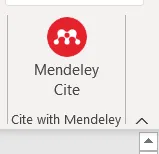
Go to Word and click on "References". If correctly installed, the following should appear in the top right-hand corner of Word:
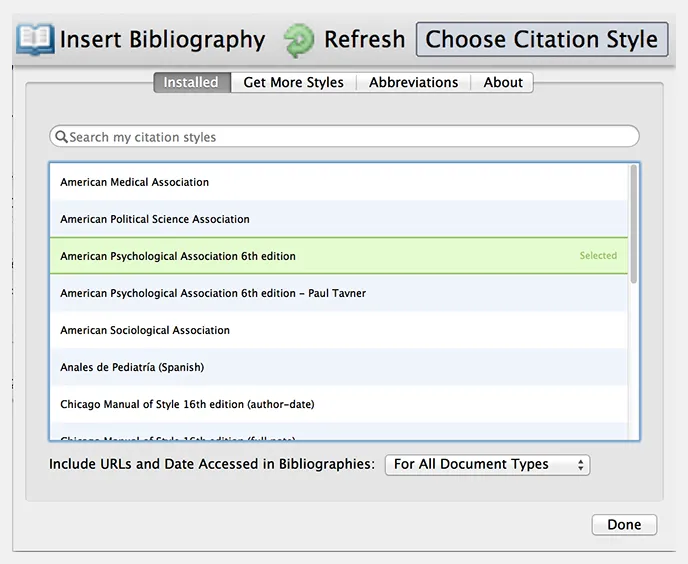
- To cite your references, click on the plug-in, select your citation and click on insert citation. Go to "Citation Style" if you wish to choose from the available citation style options.
-
To print your bibliography go to "insert bibliography"
-
Need more help or information? Go to the following page